Capture in the Field
Open DirectiveTrail and start a field extra-work record before the details disappear.
 ™
Your foremen should not have to choose between getting the work done and documenting why the work became extra.
DirectiveTrail™ gives field teams a fast way to capture the request, location, photos, and spoken description while the facts are fresh. The app handles the notice and documentation so the PM office can focus on legitimacy, pricing, labor/material recovery, and schedule impacts.
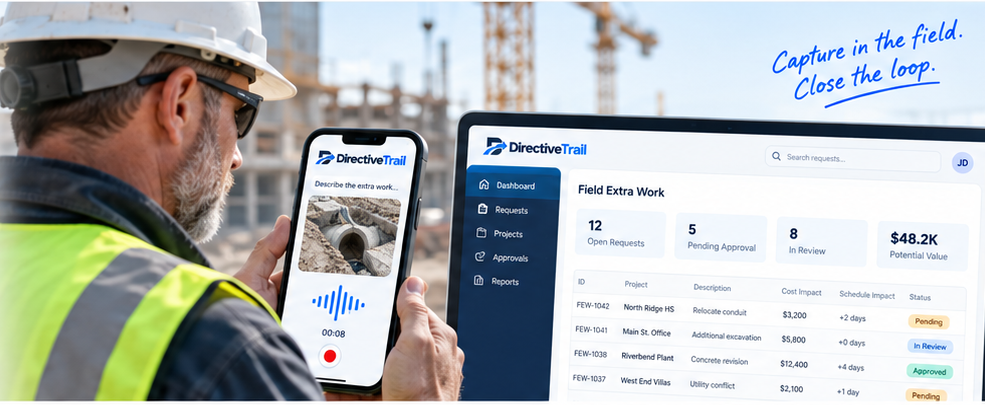
Open DirectiveTrail and start a field extra-work record before the details disappear.
Snap photos, mark the plan, and speak the description. DirectiveTrail turns it into a written record.
The requestor receives notice automatically with a secure link to review, respond, and sign.
PMs can immediately see what needs attention and evaluate cost, labor, material, and schedule impacts.
Keep the photos, locations, responses, signatures, revisions, and timeline together in one defensible record.
Capture an issue in roughly 2–3 minutes instead of relying on end-of-day office paperwork.
Keep legitimate extra work visible so the company can evaluate and pursue the impacts instead of absorbing them by default.
Automatic notice, clear status, and a single visual queue help PM teams know exactly what still needs attention.
Time-stamped photos, plan locations, transcribed descriptions, responses, signatures, and evidence packages stay together.
Use DirectiveTrail with your field and office team for 15 days and see whether it helps capture extra work earlier, improves office follow-through, and preserves the evidence your company needs later. We review each request so the trial can be set up around a real construction workflow instead of a generic demo.
Complete the short pilot application. We’ll review your company, project location, and current extra-work process, then contact you at your work email.
JOIN PILOTApplication only — no account is created until DirectiveTrail approves and sends an invitation.